
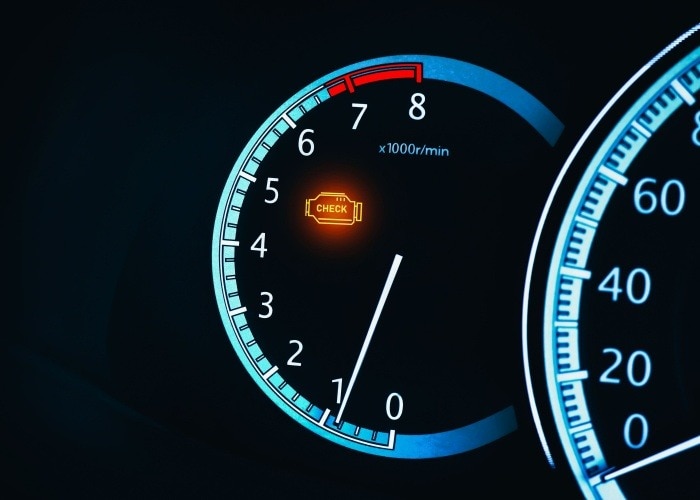
Driving along the scenic coastlines of Daytona Beach in your Mercedes-Benz is a true pleasure. But if your check engine light suddenly illuminates, it can quickly turn your relaxing drive into a stressful experience. While it’s essential to address any potential issues with your vehicle, sometimes the light can stay on even after you’ve resolved the problem. If you find yourself in this situation, Mercedes-Benz of Daytona Beach is here to guide you through the process of resetting that check engine light, allowing you to get back to enjoying the Florida sunshine.
Before You Reset the Check Engine Light
Before attempting to reset your check engine light, it’s crucial to confirm that your vehicle is in good working condition. The check engine light serves as a warning system for potential issues with your engine or other critical components. Ignoring these warnings could lead to more severe problems, potentially requiring costly repairs down the road.
If you’re unsure about the cause or if the light persists after addressing the issue, we recommend scheduling a service appointment with our expert technicians at Mercedes-Benz of Daytona Beach. Our service team can accurately diagnose the problem and ensure your vehicle is running at its best before resetting the light.
Steps to Reset the Mercedes-Benz Check Engine Light
If you’ve determined that your vehicle is in proper condition, you can follow these steps to reset the check engine light on your Mercedes-Benz:
- Turn the Ignition to the On Position: Insert your key into the ignition and turn it to the “On” position without starting the engine. This step powers up your vehicle’s systems without engaging the engine.
- Check the Display: Look at the display on the instrument cluster between the speedometer and tachometer. The display will show you information regarding the check engine light.
- Use the Steering Wheel Controls: On the left side of your steering wheel, you’ll find four buttons. Press the lower left button to see more details about the check engine light. This will typically indicate if the vehicle is overdue for service.
- Press the Reset Button: After reviewing the information, locate the reset button on the left side of the instrument cluster. Press and hold this button until the display prompts you with “To reset: Press reset button for 3 seconds.”
- Finalize the Reset: Push the reset button again and hold it for the required 3 seconds. The display should now indicate that the system has been reset and will provide the next service date based on your mileage.
The Importance of Regular Maintenance
Resetting the check engine light is a temporary solution. Regular maintenance is the best way to prevent the light from coming on unnecessarily. At Mercedes-Benz of Daytona Beach, we offer comprehensive maintenance services to keep your vehicle in peak condition. Our certified technicians use genuine Mercedes-Benz parts and the latest diagnostic tools to ensure your vehicle performs optimally on every drive.
When to Visit Mercedes-Benz of Daytona Beach
If you’re ever uncertain about resetting your check engine light, or if the light reappears after a reset, it’s a good idea to bring your vehicle in for a professional evaluation. Our team at Mercedes-Benz of Daytona Beach is always here to assist you. Whether you need a quick check engine light reset, a full diagnostic, or routine maintenance, we’re dedicated to keeping your Mercedes-Benz running smoothly.
Experience Peace of Mind on Daytona Beach Roads
Driving in Daytona Beach should be all about relaxation and enjoyment, free from unexpected vehicle concerns. By following these steps and keeping up with regular maintenance, you can confidently reset your check engine light. And remember, if you need any help, our service team is just a call or click away. Call or Schedule Service Today!
 AdChoices